
Connected temperature control systems: solutions for energy saving
An advanced temperature control system is one of the most effective strategies to optimise the performance of residential heating systems. Thanks to the integration of smart thermostats, advanced sensors and apps for remote thermostat control, management of the home’s climate can be customised to improve its efficiency, reducing energy costs.
How it works a connected temperature control system
Advanced temperature control systems are based on the integration between a heat generator, such as high-efficiency boilers, and an infrastructure of ambient sensors. Following the transposition of European energy efficiency legislation, the foundational element of such systems is a smart thermostat that constantly detects internal and external climatic parameters.
The system is operated for the time strictly necessary to maintain the desired set-point, maximising the overall efficiency. In brief, the fundamental components of the architecture are:
- a smart thermostat, for measuring the room temperature
- a network of sensors dedicated to detecting climatic data
- an advanced temperature control unit capable of processing the information.
Integration with wireless communication modules allows these devices to be interfaced with a smart electrical system or with the broader structures of a building management system, enabling both multi-zone management of environments and the monitoring of home electricity consumption in real time.
Classification of systems: classes V, VI and VIII
Official Journal of the European Union of 3 July 2014, which came into force in Italy in 2017, sets out a classification divided into eight classes (from I to VIII) to identify the efficiency of climate control systems and their contribution to the overall energy savings of the building.
Within this framework, the devices are ranked based on the technology employed to regulate the operation of the heating system and optimise the temperature in the rooms.
Among the main categories are class IV, which uses TPI proportional logic to modulate on/off cycles, class V, with its modulating thermostats for single rooms, class VI, that is driven by multiple parametric sensors including external sensors and class VIII, reserved for the most advanced equipment that has at least three environmental sensors and advanced functions for maximum energy efficiency.
The smart thermostat: the heart of temperature control
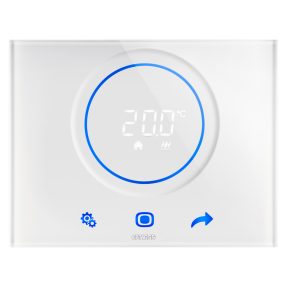
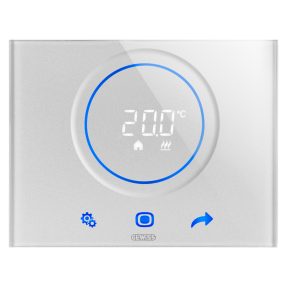
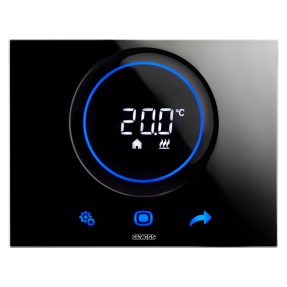
As a central element of a connected temperature control system, a smart thermostat must offer high levels of performance and user experience, such as those guaranteed by the new Thermo ICE Wi-Fi GEWISS ecosystem.
The integration of a more efficient processor ensures a smoother configuration and greater operational stability in daily use, to meet the real needs of users and reduce the risk of obsolescence.
The new Thermo ICE 2.0 app features an improved user interface, modern and highly focused on usability, which makes thermal profile programming rapid, while also reducing configuration times for the installer and modifications by the end user.
The new Thermo ICE Wi-Fi ecosystem also integrates advanced encryption protocols to counter the vulnerability of IoT nodes. In line with the latest European cybersecurity directives, it is capable of securing the home's sensitive data, protecting it from potential external threats.
How it works and how to integrate it into a connected system
The Wi-Fi smart thermostats like the Thermo ICE Wi-Fi from GEWISS manage climate and humidity by acting directly on the relays on the device. To integrate them into a connected system, you need a 2.4GHz Wi-Fi network and the dedicated app, which allows you to pair and configure the thermostat using different modes (Wi-Fi or WPS). During this phase, it is necessary to physically interact with the thermostat, so as to establish the connection with the cloud.
Once the pairing is complete, the thermostat becomes part of the system displayed and managed within the app. The system logic includes three roles: that of the installer, a professional dedicated to wiring and configuring the device; the administrator, who has total control over the system; and finally guests, users with limited permissions who can be invited temporarily, also useful for the management of a B&B.
In addition to remote thermostat control, there is a "Stand-Alone" mode allowing full access to parameters from the local touch panel, or "Slave" mode, to limit adjustments in contexts such as accommodation facilities.
The main functions
GEWISS Thermo ICE Wi-Fi features various management modes, to adapt to every lifestyle requirement, for example:
- “Comfort” establishes the ideal temperature for the presence of people in the rooms, setting the maximum heating and minimum cooling values;
- “Pre-Comfort and Economy” gradually reduce the thermal input when the rooms are used less, promoting energy savings;
- “Automatic” synchronises activations based on the weekly time schedule stored on the cloud;
- “Manual” allows you to set a desired temperature set-point;
- “OFF” deactivates climate control, keeping only the anti-freeze protection or critical temperature lock functions active.
The hardware infrastructure also monitors relative humidity, controlling dedicated dehumidification systems. Such complex functionalities allow temperature control systems to integrate into the typical logic of BACS systems for building automation and efficiency.
How to choose the right connected thermostat
The first factor to take into consideration is the compatibility between the smart thermostat and the type of existing system. For example, the technical characteristics of a generator connected to radiators differ substantially from the requirements of radiant floor panels. It is also necessary to evaluate the class of the advanced temperature control device, so that it is suitable for the complexity of the system that you intend to install.
It is also important to assess the complexity of the installation operations. Some smart thermostats allow for autonomous configuration, while others require the intervention of a qualified installer. The interoperability with the protocols of the Smart Home system into which the device will be integrated must also be verified, to ensure smooth conflict-free communication with the other connected devices.
Finally, it is worth considering products with a refined and versatile design, capable of meeting all aesthetic, functional and installation requirements, such as the ChoruSmart series switches.
Ambient temperature control and energy saving: the benefits
The adoption of an advanced system for temperature control brings tangible benefits both in terms of living comfort and savings:
- the desired temperature is maintained uniformly in all rooms, eliminating unwanted temperature fluctuations;
- optimisation of energy efficiency reduces consumption, with a direct impact on bills;
- the management of heating, cooling and activation times is carried out via a single intuitive interface;
- the ability to regulate the temperature of individual rooms with multi-zone control, even via smartphone, allows you to heat only the rooms actually occupied;
- the installation of these devices allows you to claim tax deductions available for energy efficiency upgrades.
FAQ
Unlike a traditional model based on a simple on/off contact, a connected device enables management via app, and provides consumption analysis, advanced time scheduling, and automatic regulation of boiler output.
The class defines the technological level and the system's capacity to reduce energy consumption. It varies from Class I to Class VIII based on the presence of external sensors, modulation capacity, and the integration of intelligent control algorithms.
Integration requires a 2.4GHz Wi-Fi network and the dedicated mobile app. The app enables the pairing of the new device, selecting the connection mode. Next, the touch panel allows completion of all the steps as shown in the user manual or the instruction sheet, to establish the connection to the cloud. Once pairing is complete, the device is added to the virtual system to define its operating mode and user permissions.
Trending Topics
Related articles



Show other categories


You can enter the Gewiss world by consulting the sites available for each country, differentiated by language, services, and catalogue offerings
Choose your country


Check your country
You are browsing the International site but it seems that you are in {{country}}. Do you want to update your country?

Yes, go to the website for {{country}}

No, stay on the International site